Images
Stillwater handles four image slots per artist: thumb, fanart, logo, and banner. Each one has a job in the platforms it ends up in, and each has a corresponding rule (or set of rules) that decides what "good enough" looks like for your library.
The four slots
| Slot | What it is | Where you'll see it |
|---|---|---|
| Thumb | Square portrait of the artist | Artist tiles, "Now playing" |
| Fanart | Wide landscape backdrop. Multiple per artist allowed. | Background of artist pages, slideshows |
| Logo | Transparent-background artist logo | "Now playing" overlays, hero banners |
| Banner | Wide horizontal art | List views on some platforms |
Resolution and aspect: rule-driven, configurable
Stillwater doesn't reject low-resolution images on its own -- it stores them and tags them, and a rule decides whether to flag the result as a problem. That means the "minimum acceptable resolution" for each slot is something you can change.
The rules that govern image quality, with their defaults:
| Rule | Default threshold |
|---|---|
| Thumbnail minimum resolution | 500 x 500 |
| Thumbnail is square | 1:1 ratio (10% tolerance) |
| Fanart minimum resolution | 1920 x 1080 |
| Fanart aspect ratio | 16:9 (10% tolerance) |
| Logo minimum width | 400 |
| Banner minimum resolution | 1000 x 185 |
Adjust any of them under Settings > Rules. If your collection ships from sources that struggle to reach 1920x1080 fanart, drop the threshold and the rule stops nagging. Two related rules without dimension thresholds:
- Logo excessive padding -- flags logos with too much whitespace around the artwork. Defaults to 15% of the image area; auto-fix can trim them.
- Backdrop minimum count -- flags artists with fewer fanart variants than you'd like.
The full rules catalog lists every image rule with its configurable knobs.
Multi-fanart
Fanart is the only slot that supports more than one image per artist. Stillwater stores them as numbered files alongside the primary, with platform-specific numbering:
- Emby / Jellyfin:
fanart.jpg,fanart2.jpg,fanart3.jpg, ... - Kodi:
fanart.jpg,fanart1.jpg,fanart2.jpg, ...
The artist record reflects how many fanart files exist on disk. Other slots are single-image: writing a new thumb replaces the previous one.
extrafanart/ is outside Stillwater's protection
Kodi and Emby both support an extrafanart/ subdirectory inside an artist's folder, for backdrops beyond what a platform's own numbered-file scheme covers. Stillwater does not look inside it: files placed there are invisible to Stillwater's fanart discovery, are never counted in the artist record, and are never part of the set Stillwater pushes to a connected platform.
That has a consequence beyond simply "not managed." When Stillwater pushes fanart, a connected platform can respond by clearing and rewriting the artwork it manages for that artist. On at least one measured platform, a file sitting in extrafanart/ has been progressively lost across repeated pushes as a result, with no way to recover it afterward. If you use extrafanart/, treat it as unprotected. When a fanart push you trigger yourself runs -- from the artist's artwork tools -- Stillwater warns you once for that push, after it has run, if the artist's extrafanart/ folder holds files. The warning does not stop the push and does not make the files safe. Three things narrow it, and all three are deliberate:
- It only appears when a fanart push actually reaches a connected platform. If nothing was pushed to any platform, nothing there can be cleared and rewritten, so no warning is raised. That covers an artist Stillwater finds no readable top-level fanart for, and it equally covers a push where every mapped connection was skipped -- because it is disabled, unhealthy, of a type Stillwater cannot upload to, or, on the background pass, because Image download/write is off.
- The background reconciliation pass does not warn you on screen. That pass pushes fanart too, and the exposure is the same, but it runs on a timer with nobody watching -- so its warning is written to Stillwater's log rather than shown to you. If you rely on
extrafanart/, the log is where that one appears. - If the check itself cannot run, Stillwater says so rather than staying quiet: an unresponsive library mount means it cannot count the files, and you are told the check was skipped, not that the folder is empty.
Back them up outside your library if they matter to you.
Replacing the primary fanart on a connected platform
When Stillwater treats a fanart edit as a straightforward replace of the current primary backdrop -- not adding a new backdrop, and not editing one particular numbered backdrop through the Backdrops gallery -- it pushes that change to Emby and Jellyfin. This push only happens for a connection that's enabled and healthy; a disabled or unhealthy connection sees no push at all. (The Image download/write toggle governs Stillwater's separate background reconciliation pass, not a replace you trigger yourself -- turning it off does not stop this push.)
- Emby replaces the backdrop in place. The platform's backdrop count stays the same and the addressed slot's image content changes.
- Jellyfin's upload endpoint still doesn't honor the slot it's given -- that's a Jellyfin server limitation, not something Stillwater's client code controls, and it hasn't changed. For this one kind of replace, though, Stillwater now works around it: it clears every backdrop that artist has on the connected server and re-uploads your full local set in order, so the count comes out the same and the primary slot's content is the one that changed. There's a brief moment mid-sync where that artist has no backdrops on Jellyfin at all, while the old set is cleared and the new one goes back up. Other artists are untouched.
- If a local backdrop can't be read, or is too large for Stillwater to hold in memory during that resync, Stillwater refuses the whole thing rather than deleting a set it can't rebuild -- your Jellyfin backdrops are left exactly as they were, and you'll see a warning naming the problem file. Fix or remove the offending file and try again.
This fix covers one kind of replace, not every way to edit a backdrop. The Backdrops gallery's per-image tools (cropping or re-fetching one specific backdrop, including the primary, from its own tile), reordering, deleting, batch-deleting, and assigning a backdrop pulled from a connected platform into a slot all push your full local fanart set through a different path that has no equivalent workaround: it re-uploads every local backdrop without checking or clearing what Jellyfin already has first. The very first time this runs for an artist -- an empty Jellyfin backdrop list -- the result happens to come out right, because appending to nothing lands each file in the right place anyway. Once that artist has backdrops on Jellyfin, though, any one of these actions re-appends the whole local set on top of what's already there: a single reorder or a single backdrop delete can duplicate every backdrop for that artist in one step, not just add one stray image. If you're on Jellyfin and see your backdrop count jump like that, that's this behavior, not a bug in your library. Stillwater's own artwork tools only ever act on the fanart files it has locally, so deleting or reordering backdrops in the Backdrops tab (see Manage multi-fanart) won't remove a duplicate that exists only on the Jellyfin side. Clearing accumulated duplicates today means removing them directly in Jellyfin's own artwork manager.
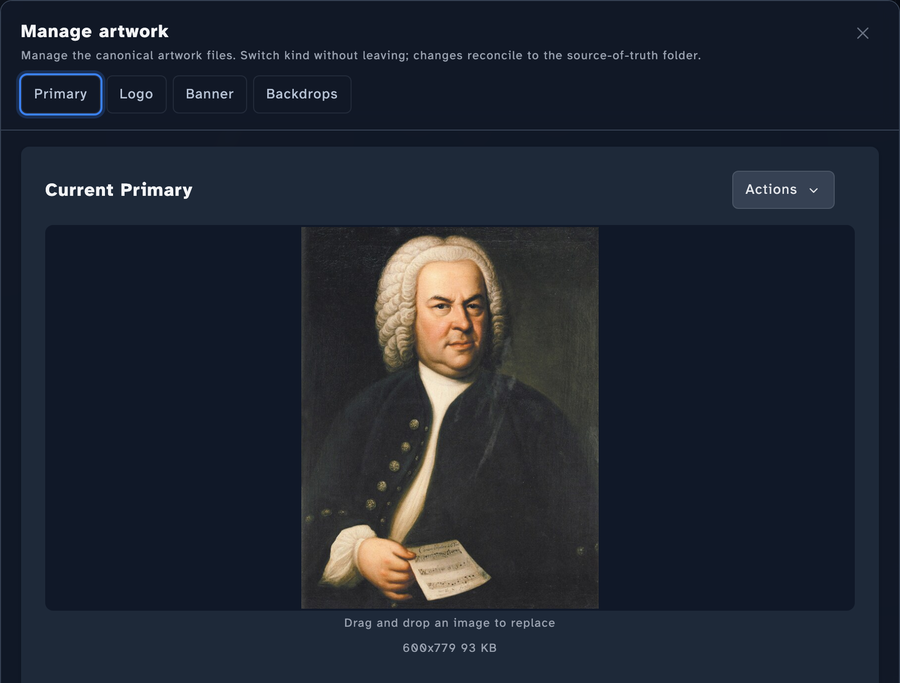
Where to manage artwork: open an artist from the Artists list, then open Manage artwork from the artist's Artwork section. The modal has a tab for each slot -- Primary, Logo, Banner, and Backdrops -- and you switch between them without leaving the modal; changes reconcile to the source-of-truth folder. Each tab shows the current image with an Actions menu (fetch from providers, web search, browse, or fetch from a URL) and a drag-and-drop target to replace it.
Where the images come from
Three paths feed the four slots:
- Manual upload. Drag a file onto the artist page (or paste a URL). Maximum upload size is 25 MB.
- Provider fetch. A metadata provider (Fanart.tv, AudioDB, MusicBrainz) returns a URL; Stillwater downloads it. See providers.
- Platform mirror. When the artist exists in a connected Emby or Jellyfin instance, Stillwater can fetch the image directly from the platform and save it locally. Useful when the platform already has a curated image you'd like to mirror.
After fetch, you can crop the result in-browser before saving. The cropper is the easiest way to bring a tall promotional poster down to a square thumb without losing the subject.
Platform terminology
The same image slot has different names in different platforms:
| Stillwater slot | Kodi | Emby / Jellyfin |
|---|---|---|
| Thumb | Folder | Primary |
| Fanart | Fanart | Backdrop |
| Logo | Logo | Logo |
| Banner | Banner | Banner |
Stillwater's UI shows the platform-appropriate label when a library is associated with a platform profile -- so an Emby-imported library shows "Primary" / "Backdrop" instead of "Thumbnail" / "Fanart", matching what you'd see in Emby itself.
What you don't need to think about
- Format conversion. Stillwater writes the right format per slot. Logos always end up as PNG so transparency is preserved; everything else stays in its source format.
- Multi-fanart numbering. The platform profile decides whether a second fanart is
fanart1.jpgorfanart2.jpg. Drop in a new fanart and it picks the right name. - Filename variants. Some platforms want the same image under multiple names (
folder.jpgandartist.jpg). Stillwater writes one real file and creates symlinks for the alternate filenames where the filesystem supports it.
What you do think about: which images you want for which artists, whether the rule defaults match your standards, and whether to accept low-resolution placeholders or hold out for something better. Rules and the fix-all flow make the second question a batch operation rather than a per-artist click-through.
See also
- Merge duplicate artists -- when two artist records with images merge, loose files are handled per-file: if the survivor already has a same-named file, the survivor's copy wins and the loser's copy is deleted; a uniquely-named loser image is moved into the survivor's directory and kept. The
extrafanart/extrathumbsfolders are the one exception -- both sides' images are kept and merged together rather than treated as a collision.